Building Internal Agents for Your Company (Without Getting Fired)
How we built Pim, our internal AI agent at Windmill, to automate tedious workflows across Attio, PostHog, Slack, and more - without exposing ourselves to security risks.


You’ve been using Clawdbot for a month or two now. It’s sick. Maybe it’s ordering Amazon packages for you, maybe it’s organizing your inbox as you’re reading this.
You don’t know how secure your setup really is. You don’t really care - maybe it’s running on a Mac Mini, and any damage it does is self-contained and won’t have a real impact on your livelihood.
You go to work, and you wish your Clawdbot could help do your job. Sadly, in its current state, any company that blindly deploys such autonomous and powerful technology is opening themselves up to a multitude of attack vectors.
I’m an engineer at a startup (@trywindmill). I teased the idea of bringing Clawd into our company. I got shut down before I could finish my sentence, and rightfully so. I work with @posthog, @n8n_io, @clay, @attio, @stripe every day, and building workflows across them is necessary, but tedious to build and difficult to maintain and debug. If it was up to me, I’d have my Clawd connect to them and just do whatever I ask. I don’t need rigidity, I just need an agent who has access to tools and knows how to use them.
Once our “Sales Automations” n8n flow broke for the 30th time, I knew it was time for a change. I proposed buying a Mac Mini and re-building Clawdbot internally instead of using the existing blackbox made by the genius @steipete. Throughout this article, I will explain how I’m building Pim, our internal agent @trywindmill, with the hopes that other operators can use this as a rough guide to supercharge their internal operations.
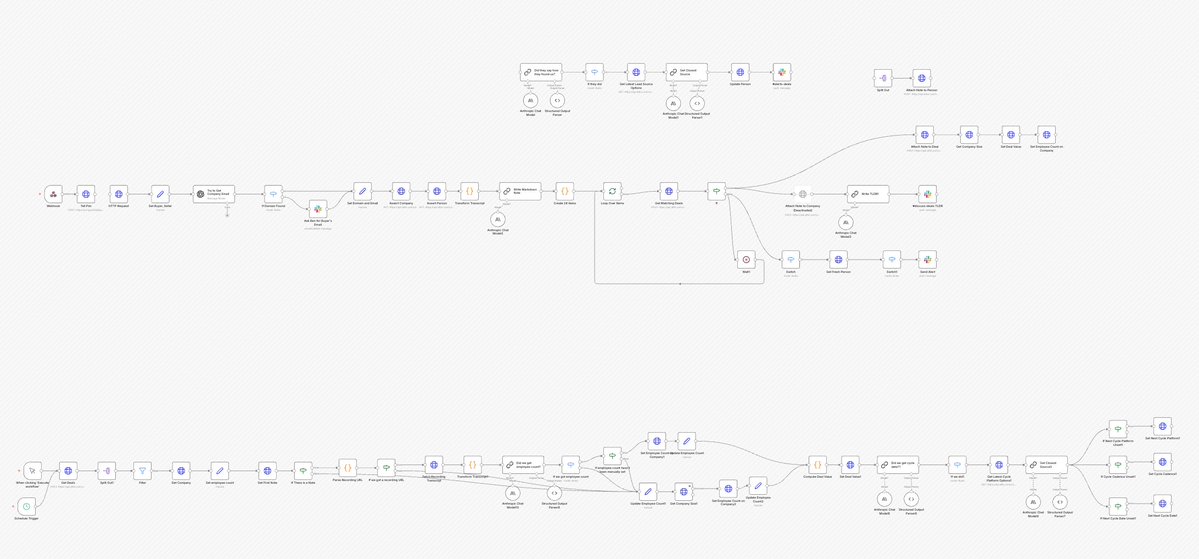
Initial rules:
- No ingress internet access - No ports sitting open where any bad actor could reveal sensitive customer data.
- Observable - For any agent run, I should be able to see its train of thought, its tool chain, and any errors should be self-reported by the agent.
- Start small - if the primary goal was to make n8n agentic, then let’s make n8n agentic, and not make a general purpose YOLO bot off the rip.
- Never more powerful than it needs to be.
Most of the tools Pim has access to also have MCPs for Claude Code. Those MCPs will tell Claude how to use the tools - input schemas and output schemas, but what they’re missing is context on how our team uses those tools. Our Attio setup is not the same as Acme’s, and to have to explain exactly what Claude should be looking for (which attributes are on which object, which list our leads live in) every single time you want a simple question answered becomes a pain very quickly.
I started building Pim a few weeks ago, and the initial setup was shockingly simple. At first, I started without AI, by just spinning up a few context files that explain exactly how we use our tools.
- A core
identity.tsfile - who Pim is, what his job is, his voice, and what he can and cannot do. - A general
windmill.tsfile - who our team is, what we do, who’s responsible for what. - One for Attio (our custom objects, foreign keys, our leads tracking, how data flows in, etc)
- One for Slack (which channels are high signal, which are low signal, etc)
After about 45 minutes, Pim had way better context into our systems than anyone’s local Claude Code instance.
Then, to avoid open internet ports, I spoke with @djfarrelly, CTO of @inngest (who we at Windmill rely on for all distributed queueing), to see how we trigger Pim using their webhooks and cron events. The setup, again, was shockingly simple and put us in a much more secure place than exposing an inbound webhook endpoint. Using Inngest Connect, Pim initiates an outbound connection to Inngest Cloud rather than the other way around—no open ports, no public URLs, no ngrok tunnels. Just connect({ apps: [{ client: inngest, functions }] }) at startup and we’re live.
Using @vercel’s AI SDK and an @OpenRouter API key, I built a simple agent wrapper that instantiated the AI SDK’s ToolLoopAgent with a model, instructions, and tools—then just called .generate() with a prompt. The entire OpenRouter setup was 4 lines. The agent automatically looped until the model stopped calling tools, and I extracted results from the steps array. No complex orchestration, no state management—just declare your tools, give the model a task, and let it work. This has now evolved into deferred tool loading, MCP normalization, execution limits, and more.
In the folder where my slack.ts context file from earlier was, I created a dead-simple API wrapper. Just Slack’s WebClient with thin functions for postMessage, getChannelHistory, listChannels, and getUserInfo—plus a channel allowlist to prevent little Pim from posting somewhere it shouldn’t. Then I created AI SDK tools that wrap those functions: a Zod schema for input, a Zod schema for output, and an execute function that calls the client. The tool-set export is just an object with all the tools:
export const SLACK_TOOLS = {
  postSlackMessageTool,
  getSlackChannelHistoryTool,
  listSlackChannelsTool,
  getSlackUserTool,
  listSlackUsersTool,
};
Pass that to the agent, and it can read and write Slack.
Then I had our first agent, that solved a critical use case (not). But it proved the stack worked end-to-end.
const { text, steps } = await goodMorningAgent.generate({
  prompt:
    "Post a good morning message, and a random motivational quote to #pim-scratchpad.",
});
This combined all the steps from earlier (save the context files) - it ran on an Inngest cron, it used an AI SDK toolLoopAgent, and it leveraged Slack tools without prescribing which tools to use when. If you’ve been keen enough to observe I haven’t mentioned memory yet, it won’t be a surprise to hear that it repeated itself pretty much daily.
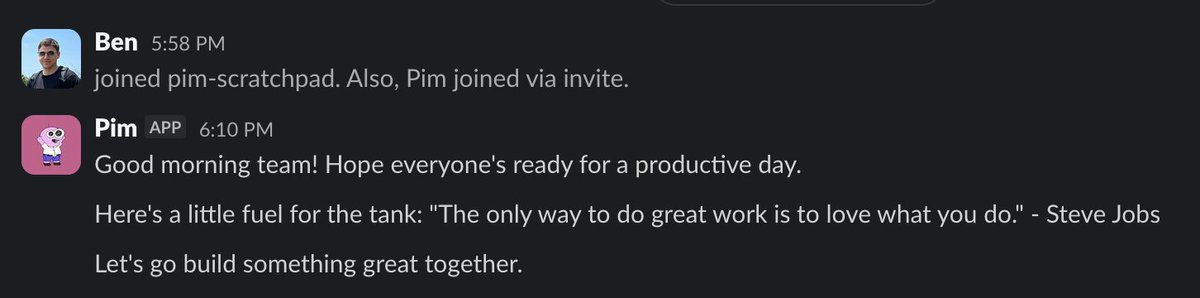
While this first agent was completely useless and annoying, it laid the groundwork for piling on more and more agents. The next agent was triggered by an Attio workflow and processed new leads - checking @posthog for UTMs/referrers and which pages they visited, using @ExaAILabs to research their LinkedIn profile and company background, and posting a rich notification to Slack with all the intel, plus a threaded reply with deeper research. In order to get Pim to set the lead’s source in Attio, all I had to do was tell it to set the lead’s source in Attio. Previously, I would have had to spend 10 minutes configuring an n8n HTTP node to accomplish the same task. I promptly shut off our lead-processor agent, which felt fantastic.
This is the lead agent’s full prompt:
export const prompt = `${CORE_CONTEXT}

${SLACK_CONTEXT}

${ATTIO_CONTEXT}

${POSTHOG_CONTEXT}

${EXA_CONTEXT}

## Your Task

You've been given a specific lead to process. Research them and post a notification to #alerts-leads.

## Step-by-Step Process

### 1. Look Up the Person in Attio
Use the Person Record ID provided in your prompt to fetch the person's details from Attio.
If the person's "Qualification" field is "Unqualified", stop here and return without posting anything.

### 2. Conduct Research
- Use the Attio MCP tools to get all data about the lead and their company - have we spoken with them before?
- Use the PostHog MCP tools to get the session data (if Posthog Session ID exists on the person). Get their initial referrer, UTM tags, and pages visited.
- Use the Exa MCP to find the person's LinkedIn profile and research who they are - role, location, background.
- Use the Exa MCP to research the company - what do they do, employee count, fundraising, HQ location.

### 3. Post Main Notification

Post to #alerts-leads using Slack Block Kit to make a visually digestible alert.

### 4. Post Thread Details
Reply in thread with deeper research:
- What pages did they visit on the website? (from PostHog session)
- Lead source and how they found us (from PostHog UTMs/referrer)
- What do we know about the company from Attio and Exa?
- Person's professional background from LinkedIn
- ICP fit - is this person a buyer? Is their company a fit for our ICP?

### 5. If lead source is unset in Attio, you may set it to what you were able to suss out from your research - at the end of the thread, you must call out that you did that, and you must always use an existing lead source select option, never create a new one.
`;
It took me about a day to agent-ify all of our gross n8n flows. Final list of integrations: @attio (MCP), @ExaAILabs (MCP), @GrainHQ (MCP), @Mailchimp (API Wrapper), @mintlify (MCP), @NotionHQ (MCP), @posthog (MCP - and I have to add @james406 you guys built a goated MCP server), @resend (MCP), @SlackHQ (API Wrapper).
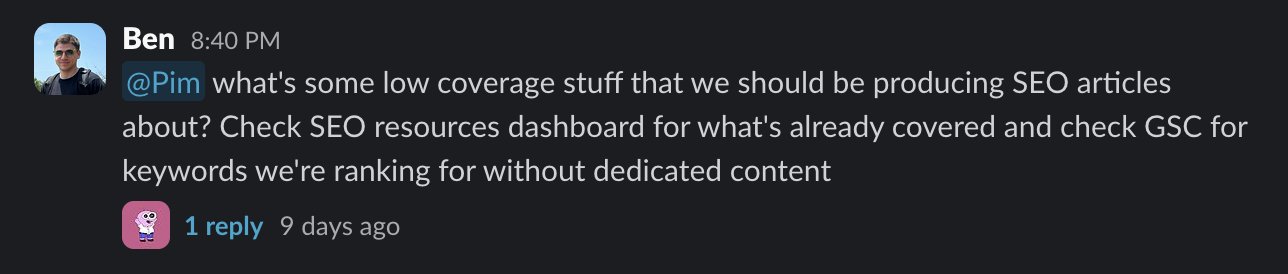
That ran for a few days - processing leads, writing TLDRs on sales calls, compiling weekly account intelligence reports on the latest with all of our customers and who to prioritize in our syncs, enrolling people in drip campaigns, reporting on SEO metrics. Everyone wanted to talk to Pim though. Being able to ask questions and reason across our tools, with rich context on how we use each one, without ever leaving Slack, was an extremely powerful concept.
“Talk to Pim” was a 563-line PR that I cheffed up between 12:30 and 2am on a Friday night a few weeks ago. It was stupidly simple:
- Auto-provision a Slack→Inngest webhook at startup. A transform function converts Slack event payloads into
pim/slack-messageInngest events. No open ports - events flow Slack→Inngest webhook→Inngest connect→our function. - Decide when to respond. DMs, @ mentions, or any reply in a thread that started with a request to Pim. Three conditionals.
- Handle the message:
await slackApi.addReaction(channelId, messageTs, "eyes");

const { tools, cleanup } = await loadChatTools(); // loads all MCP integrations
const history = await collectThreadHistory(...);

const result = streamText({
  model: openrouter(OPENROUTER_MODELS.claudeSonnet),
  messages: [...history, { role: "user", content: text }],
  tools: allTools,
});

const steps = await result.steps;
await slackApi.postMessage(channelId, steps.at(-1).text, threadTs);
await slackApi.removeReaction(channelId, messageTs, "eyes");
That’s it. Load tools, build messages, stream response, post the final text. Pim now has access to our CRM, analytics, meeting recordings, help docs, Notion, and marketing data—all through a Slack thread.
Requests started flowing in and getting handled faster, more consistently, and with fewer headaches than individual team members in their Claude Code instances. The real win here was context - everyone speaking the same language is a powerful thing for a team.
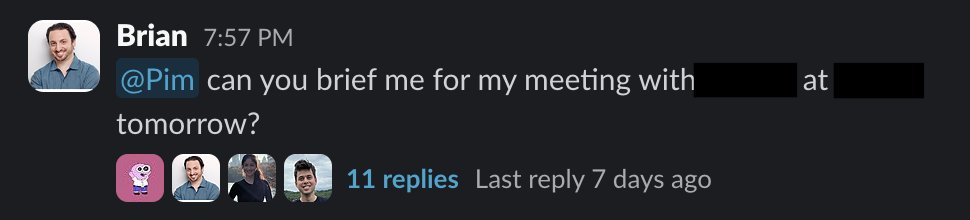
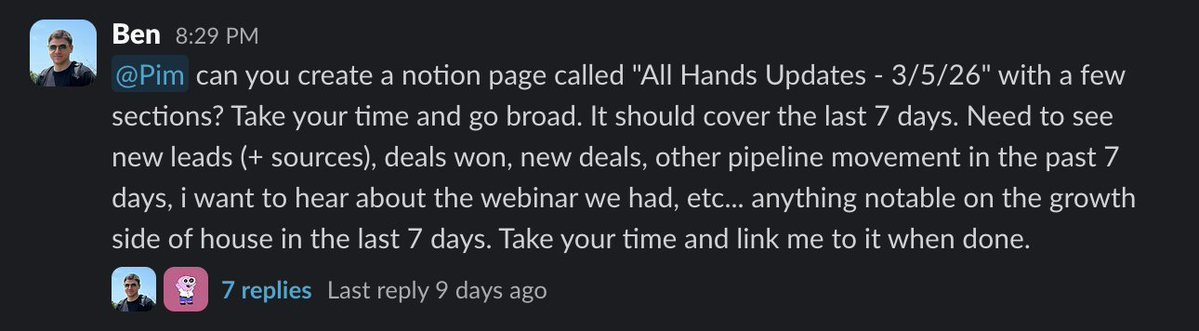

One thing that became obvious quickly is large amounts of data do not render pretty in Slack, no matter how many fancy block kit blocks you’re using. So I gave Pim a way to create dashboards using private @vercel links scoped to our team (@rauchg the built-in deployment protection is huge for us).
We built an internal agent named Pim. It has access to our data and has ability to make "dashboards". Simple web apps we host on @vercel . I hope they mean it when they say "unlimited projects".
— Max Shaw (@_maxdshaw) March 6, 2026
The best part is everything loads instantly since data is preloaded and Pim can use… pic.twitter.com/hwljabZm02
Pim is now automating my job away, and I love it. Questions I previously had to field now just go to Pim. He’s still primarily adding value as an analyst/reporter, but we’re dipping our toes into suggesting and taking action, which I believe is where the real value will come. We’ve given him the capability to create deals after sales calls to keep our sales people selling, we’ve been using him to watch our ad performance and suggest actions for @_nicolealonso and I, who are not advertisers and HATE using the Meta/LinkedIn Ad UIs, he’s triaging actionable product feedback from our CS team’s customer calls and suggesting engineers to tackle them.
What’s next for Pimmy?
Memory. If people have been paying attention, the obvious one is memory. It’s honestly shocking how far we’ve gotten without it. Pim has a SQLite DB, but it only writes and doesn’t read. A tool to read past runs, along with a simple agent that runs on a cron, reads through agent runs from the day, writes a memory log, will go a long way.
Self-improvements. Pim is not a coding agent, and I’m not all too eager to have him making PRs on his own codebase. However, if Pim notices a drift in CRM, or something that he routinely gets wrong or struggles with, we’re going to have him create a @linear item and post it to a Slack channel for myself to review and assign to Cursor.
Windmill MCP. We’re opening up our platform so customers can build on top of Windmill, as opposed to most other HR/performance platforms which are completely closed. As a part of this, Pim will be able to get aggregate product data from the source, instead of using PostHog as a proxy.
Pim joins the org chart. We’re going to be bringing him into the @trywindmill platform as my first direct report. He’s going on our org chart. I’ll get greater visibility into his week-to-week, people will be able to leave feedback on his performance, and he’ll be able to escalate issues to me easily. I’m well aware this is a bizarre concept, you will all say I’m in LLM psychosis, but we played around with the idea during our recent offsite, and it kind of makes sense. As managers start leveraging long-running general agents, especially non-technical ones, monitoring their performance beyond “vibe code a fix when it fails” is going to become critical.
Thank you all for bearing with me here. It’s been fun to look back on Pim’s development, and I’m so excited to keep building him. Shoutout to @psychicpebble and @MichaelRCusack for bringing Pim into the world. While I’m sad the show is ending, I promise to keep his spirit alive here at @trywindmill.
If you enjoyed reading this and want to work on a team that both builds cool shit and lets you build cool shit, reach out to myself, @_maxdshaw, @TarkManner, @bdistel, or check our job postings at gowindmill.com - we’re always looking to hire motivated, AI-curious talent in our NYC office.
Stay in the loop
Get the latest updates, insights, and news from Windmill delivered to your inbox.